AEB mobile/AEB Online
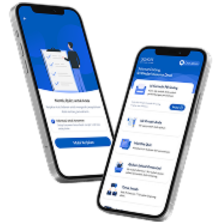
AEB Mobile/AEB Online allows users to securely and easily conduct financial transactions, receive services, and manage their accounts over the phone or online.
What interests you?
It is required to download the app from App Store (for IOS operating system) or Play Store (in case of Android operating system) and register in the system by following the steps of the app
- If you are not a customer of the Bank yet, you may apply to the Bank and sign an agreement, after which the AEB Mobile application will be activated
- If you’re a customer of the Bank, you can either apply to the bank or send an email message to the Bank’s email address from which you’ve received the security code while signing up with the app. or apply to the Bank through My Profile/ Messages section of the app. attaching an ID
- If you’re a physical entity customer of the bank you can either apply to the bank or send an email message to the Bank’s email address from which you’ve received the security code while signing up with the app. or apply through My Profile/ Messages section of the app, attaching an ID
- Opening a bank AMD current account at a preferential rate upon customer registration through biometric identification via the AEB Mobile system
Yes, it is.
Yes, by logging in to the section of My Profile
The system will be locked after entering an incorrect password 3 times
To recover your password, you can use the “Forgot password” option, which is available via biometric authentication.
You can find the detailed recovery steps here.
Select the 'Menu' section, choose the 'Settings' sub-section from the list, then enable the 'Biometric Login' button.
- Apply to the Bank
- Send a message to the bank’s email address attaching an ID
- Leave a message on the Bank’s website
- Apply to the Bank
- Send a message to the bank’s email address attaching you ID
- Leave a message on the Bank’s website
When using a different smart device, the system will prompt you to contact the Bank for the first time or visit any of the Bank’s branches.
To cancel transactions made via the AEB Mobile system, you must send a message to the Bank through the 'Menu / Contact the Bank / Messages' section of the application.
Yes, it is. In order to cancel the transaction executed via Aeb Mobile system, you should write a letter to the Bank from the section of My Profile/Messages